Printer & Office Electronics Disposal in Dubai
How to clear printers, cartridges, shredders, monitors and desk electronics in Dubai without mixing data devices, loose toner or office furniture.
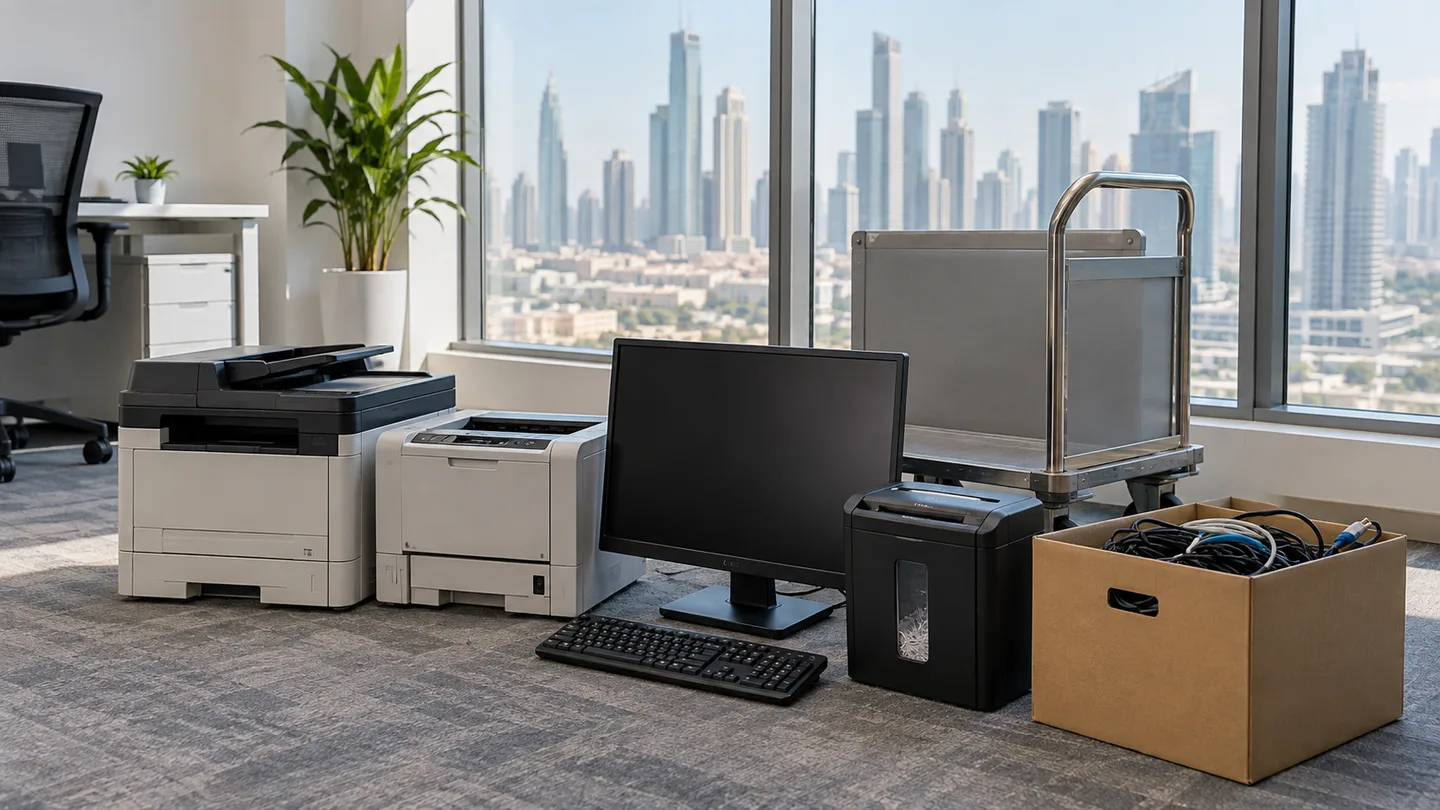
Separate the data, cartridges and cables before pickup
Printer disposal in Dubai starts with three small jobs: clear stored information, remove loose cartridges that release without dismantling the machine, and box the cables and desk accessories. The printer can then leave with other office electronics through electronics disposal. A larger office clear-out that includes several workstations or storeroom stock should also be described as a commercial load for warehouse junk removal.
This article covers printers and the electronics around a desk. The preceding guide to old computer and laptop disposal in Dubai owns the storage-drive decision inside computers, while commercial IT and electronics disposal in Dubai covers server rooms, asset registers and certified data destruction.
What belongs in a printer and office-electronics collection?
The useful boundary is the plug, not the room. A printer, monitor and shredder belong with electronics. A chair, desk and filing cabinet are office furniture even when they leave on the same visit.
| Item | Preparation before collection | Detail to include in the booking |
|---|---|---|
| Desktop inkjet printer | Remove paper; bag cartridges if they release cleanly | Printer type and quantity |
| Desktop laser printer | Remove paper; keep loose toner upright | Whether a separate toner pack is present |
| Floor-standing copier | Leave the sealed body intact | Full-height photo, floor and lift route |
| Monitor | Keep upright and protect the screen face | Screen count and stand type |
| Paper shredder | Empty the paper bin; leave the motor housing closed | Desktop or floor-standing size |
| Router or network unit | Reset it and remove account labels | Quantity and whether it still powers on |
| UPS unit | Leave its sealed battery inside | State that it is a UPS, not a computer tower |
| Cables and adaptors | Coil loosely and place in one box | Approximate box count |
The same sorting prevents office furniture from disappearing inside a vague description such as “one room of equipment.” For chairs in particular, the office chair disposal guide explains the gas-strut and caster details that do not apply to electronics.
What information can an office printer retain?
An office printer can retain more than paper. Network settings, stored print jobs, scanned destinations, address books and signed-in service accounts can remain on a multifunction machine after the desk is cleared.
Use the machine's own settings to clear saved jobs and accounts while it still powers on. Remove any accessible memory card or USB device. If a business has a formal destruction or audit requirement, arrange that requirement separately before collection; Junk Removals Dubai does not wipe devices or issue destruction certificates.
Do not open the electronics housing
Removing an accessible cartridge, paper tray or memory card is preparation. Opening a printer's powered electronics or forcing apart a sealed copier body is repair work and is not needed for collection.
How should ink and toner be prepared?
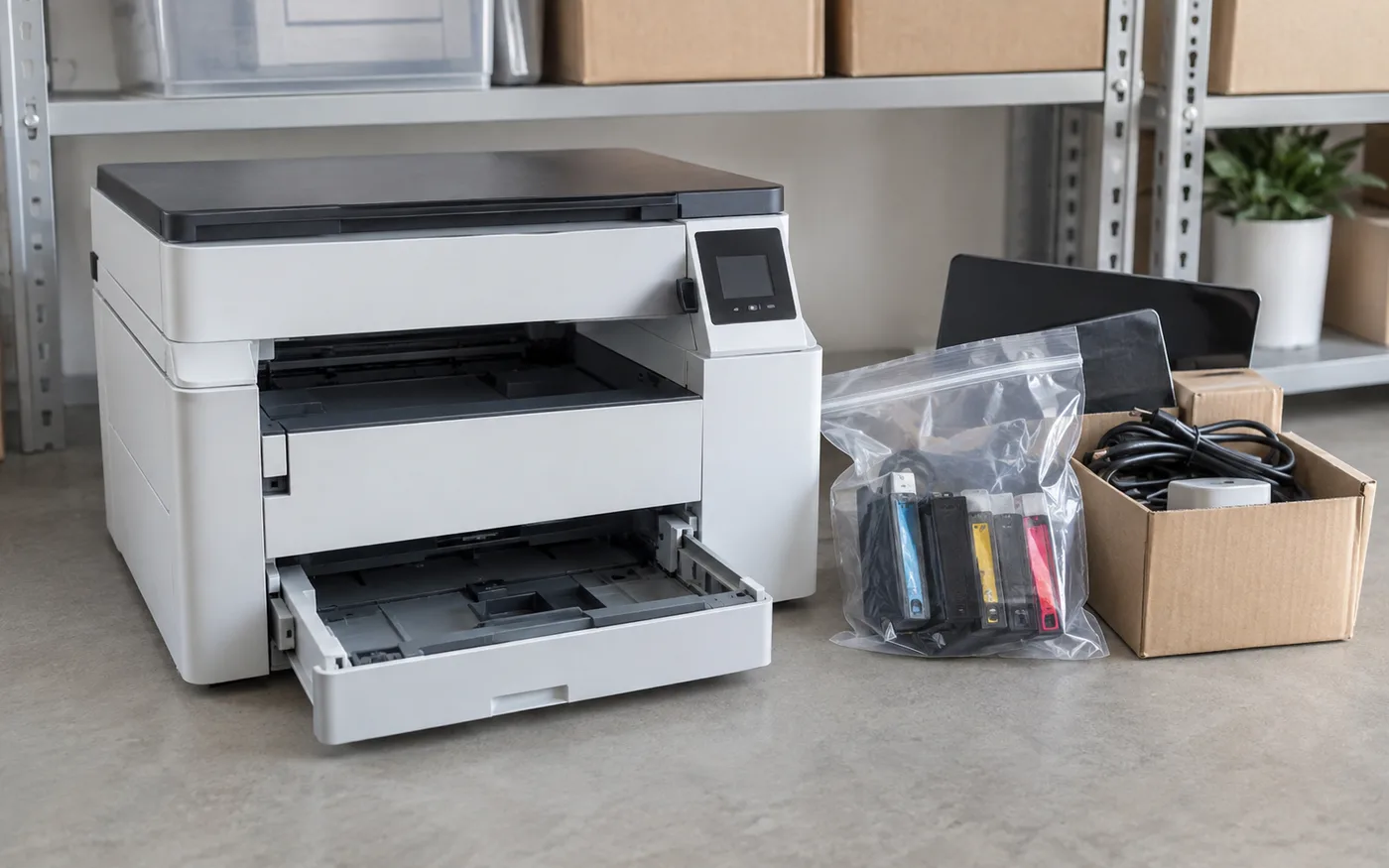
Loose ink and toner should be contained before anybody lifts the machine. Cartridge residue transfers easily to hands, lift walls, vehicle floors and other items in the load.
- Remove loose paper and personal documents.
- Use the normal cartridge-release mechanism if it works without force.
- Put each loose cartridge in a separate sealed bag and keep it upright.
- Leave a cartridge inside if removal would require dismantling the machine.
- Photograph any leak and mention it before the visit.
Do not brush, vacuum or blow spilled toner into the air. A leaking cartridge should not be buried inside a cable box where nobody can see its condition.
Why do floor-standing copiers need a separate plan?
Floor-standing copiers are dense, top-heavy machines with paper modules and small casters. The shortest route across an office may still contain a threshold, carpet edge, narrow door or lift lip that stops those casters.
Send a full-height photo, the office floor, the service-lift arrangement and the distance to the loading point. A desktop printer can be carried as one item. A copier may need its paper modules removed, a flat trolley and a clear route booked through building management.
For an office in Business Bay, JLT or Dubai Marina, the lift slot can matter more than the number of small devices. Confirm the slot before the crew reaches reception, especially when the building separates passenger and service access.
Book the whole desk group, not one visible printer
The printer is often the item named in the message, but the actual group includes a monitor, shredder, router, UPS, dock and a box of adaptors. Place everything in one photograph and keep monitors upright against a safe wall until collection.
Send that photo on WhatsApp with the item count, floor and access notes to get a quote for the complete office-electronics group. Listing the cartridges, copier and furniture separately prevents surprises at the service lift.
Frequently asked questions
Remove loose paper and personal documents first. Take out ink or toner cartridges if they release cleanly, place each cartridge in a separate bag and mention them when booking. Do not force open a sealed printer body or dismantle the print mechanism.
Yes. Printers, monitors, keyboards, shredders, routers and boxed cables can be grouped into one electronics collection. Keep screens upright, contain the small pieces and list every item in the booking photo so the load is planned correctly.
No. Junk Removals Dubai collects unwanted electronics but does not wipe storage, destroy drives or issue data-destruction certificates. Clear stored jobs, address books and account details before collection, and keep any removable drive when the information is sensitive.
A floor-standing copier needs to be identified before the crew arrives because its weight, casters, paper modules and route to the service lift affect the collection. Send a full-height photo and the model's location rather than booking it as a desktop printer.
No. Do not place loose or leaking toner in the same open box as the printer or other electronics. Keep the affected cartridge upright in a sealed bag, avoid brushing or blowing the powder, and describe the condition before pickup so it can be assessed separately.
They can be collected on the same visit when they are included in the quote, but they are a furniture load rather than office electronics. Photograph the furniture and devices separately so the crew can plan volume, disassembly and lift access.
Related articles

TV Unit & Media Console Disposal in Dubai
Arrange TV-unit and media-console disposal in Dubai with clear steps for screens, cables, glass shelves, wall fixing, dismantling, and building access.
Old Computer & Laptop Disposal in Dubai
Where the storage sits in a tower, a laptop or an all-in-one, what to do with a machine that will not power on, and what leaves the desk alongside it.
Microwave & Small Appliance Disposal in Dubai
Microwaves, kettles, air fryers and the rest of the countertop pile are plug-in electronics. Here is how they leave a Dubai kitchen safely and in one visit.